
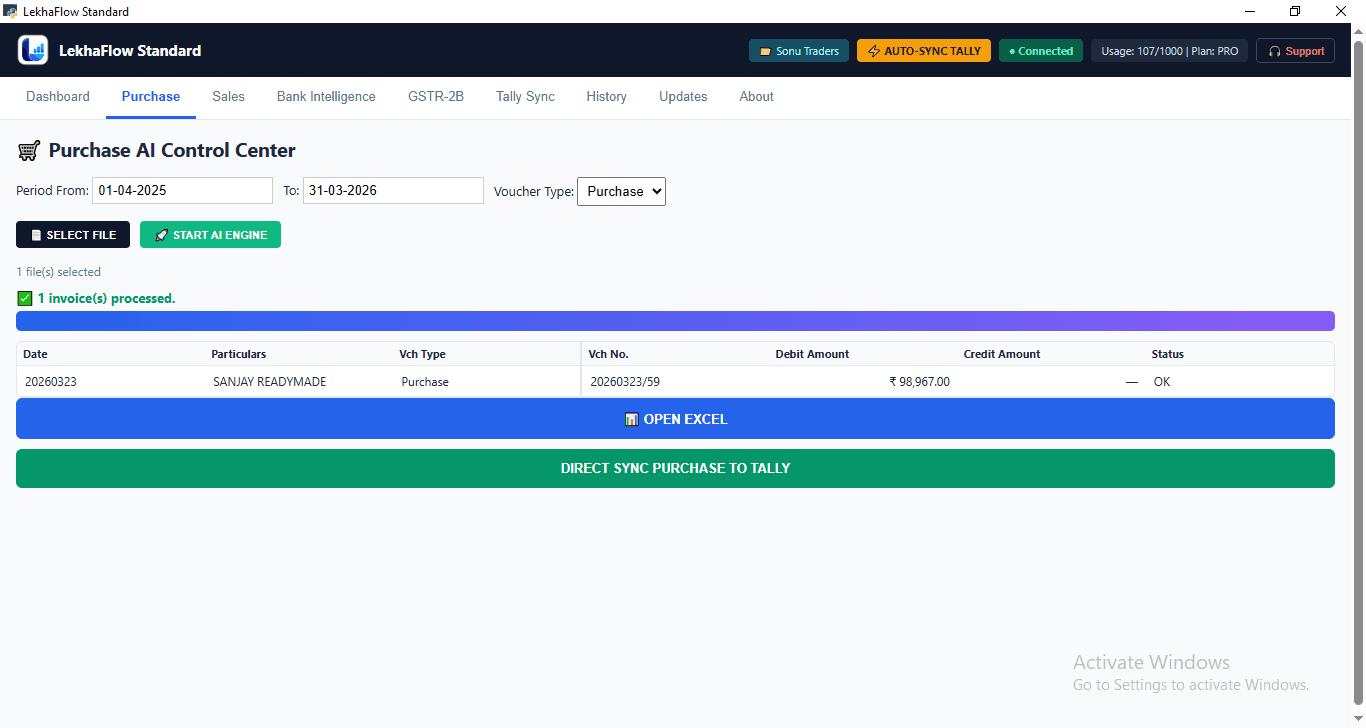
PURCHASE01
Purchase Automation
Process purchase invoices, prepare the accounting result and review it before the final Tally step.
- Invoice data extraction
- GST, item and ledger workflow
- Review before posting
LekhaFlow helps Tally users turn repetitive purchase, sales and bank-entry work into a structured desktop workflow — process, review and then send the approved result to Tally.
One workflow. Multiple accounting inputs.
Purchase invoices, sales files or bank statements
LekhaFlow prepares structured accounting data
Check the result before anything is posted
Send the approved result through the Tally workflow
Accountants often spend valuable time moving information from PDFs, invoices, spreadsheets and bank statements into accounting entries. LekhaFlow is designed to reduce that repetitive layer while keeping the accounting result visible and reviewable.
Understand the workflowPDFs, images, Excel and supported bank statements
Reduce repeated typing, copying and manual calculations
Keep the prepared result visible before the final accounting step
Continue using Tally as your accounting system
Keep the Tally setup your team already knows. Use LekhaFlow to handle repetitive document preparation, voucher calculation and bank-entry work around it.
Process purchase invoices, prepare the accounting result and review it before the final Tally step.
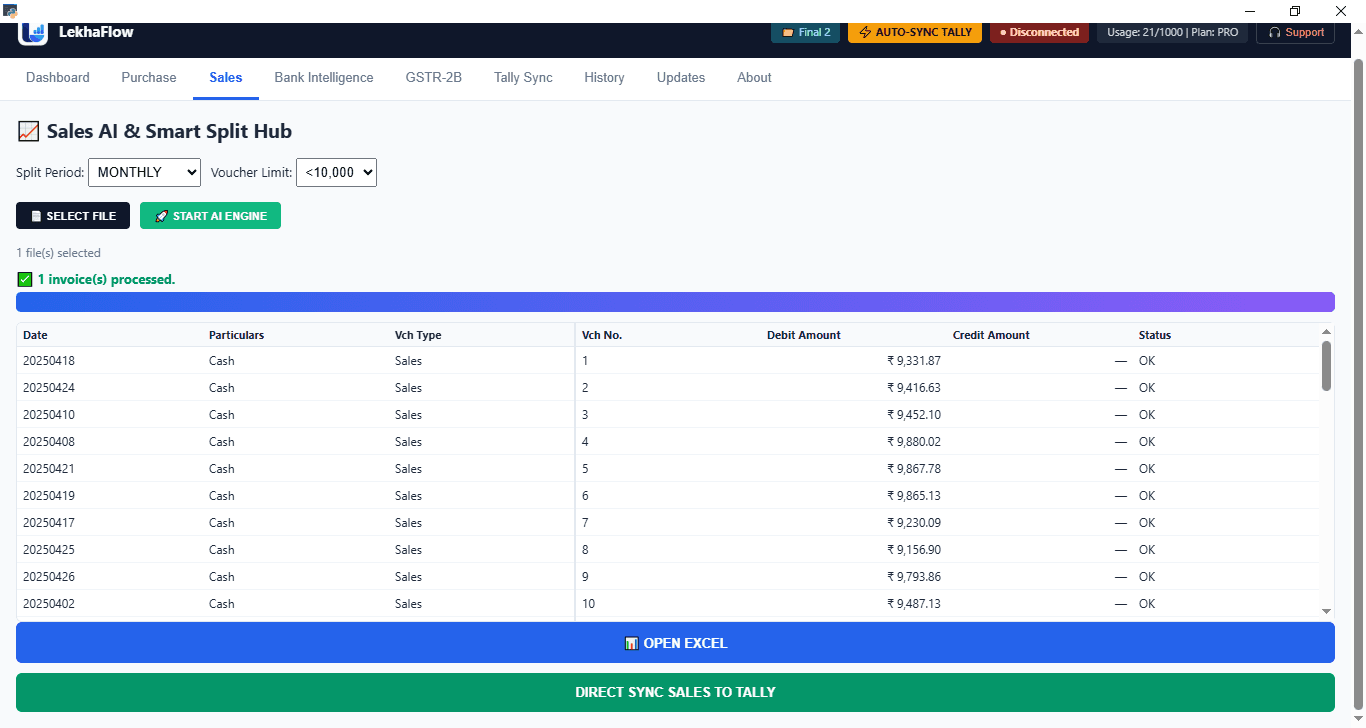
Set the maximum voucher amount and let LekhaFlow calculate the required vouchers and final remainder.
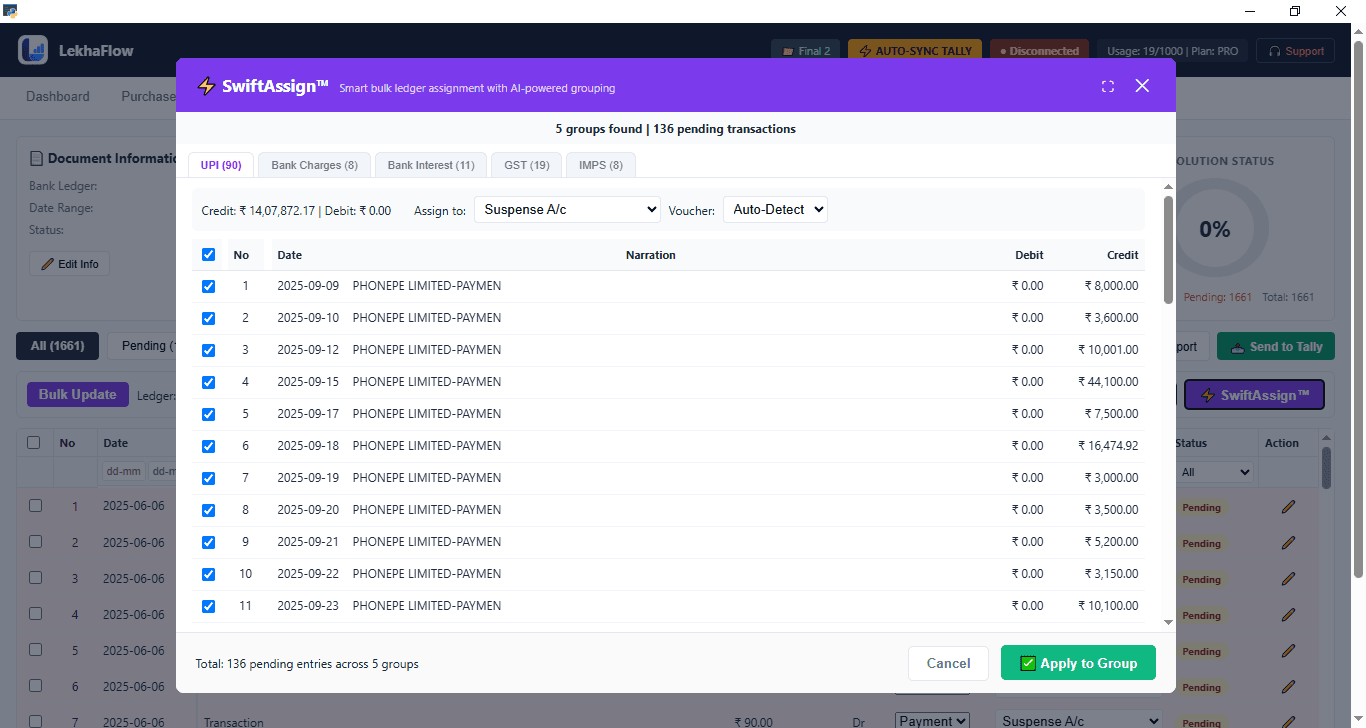
Process supported bank statements, validate the statement, review transactions and prepare the accounting result.
Choose the maximum voucher amount. LekhaFlow calculates the voucher count and the final remainder automatically.
Sales Total
₹75,000
The threshold is the maximum amount allowed in one generated voucher.
Generated Result
2 vouchers
The value is not just automation. It is a workflow your team can inspect, correct and approve before the final accounting step.
See the prepared accounting result before the final Tally step — review, correct and approve what needs attention.
Work from a Windows desktop workflow designed to keep the review process in your working environment.
Create an Excel copy when you need a separate review, sharing or reconciliation file.
Reduce repeated typing and manual preparation so your team can spend more time reviewing the accounting result.
Use the supported source formats for each workflow — including PDFs, images and Excel where applicable.
A Windows desktop application designed to work around your existing Tally setup — not replace it.
LekhaFlow is built as Windows desktop software with a client-side workflow. It is designed to avoid a cloud-storage workflow for your accounting documents and keep the review process in your working environment.
The control layer
Handle recurring client documents with a structured workflow that keeps review and control at the centre.
Reduce repetitive purchase, sales and bank-entry work while keeping the Tally system your team already uses.
Spend less time on repetitive entry and more time reviewing the result that matters.
LekhaFlow creates a clear working layer between your source documents and the final accounting result — process, review, approve and complete the Tally step.
See the full workflowChoose the purchase invoices, sales files or supported bank statements you need to process.
LekhaFlow extracts and structures the relevant information for the selected workflow.
Inspect the prepared entries, balances or voucher structure and resolve anything that needs attention.
Use Excel output where a separate review, sharing or reconciliation copy is useful.
Send the approved result through the Tally workflow and keep your accounting system unchanged.
Download the Windows trial, test the workflow with your own accounting files and review the prepared result before choosing a license.
The practical answers you need before trying LekhaFlow.
No. LekhaFlow is designed as a workflow automation layer around Tally. It processes source documents, prepares the accounting result and lets you review it before the final Tally step.
LekhaFlow is Windows desktop software. Its workflow is designed around client-side processing and keeping control of accounting data in the client environment.
The current product focuses on Purchase Automation, Sales Split and Bank Statement workflows, with review and Tally integration around the final accounting result.
Yes. Review before Tally is a core product principle. You can inspect the processed result and resolve what needs attention before the final sync/posting step.
Yes. A 7-day trial is available. Download the setup, install it on Windows and use the trial workflow with your accounting data before choosing a license.
The current homepage focuses on Purchase Automation, Sales Split and Bank Statement workflows, with review and Tally integration around the final accounting result.
No. LekhaFlow is designed to work around the Tally setup your team already uses, with the prepared result reviewed before the final accounting step.