
BANK STATEMENT INTELLIGENCE
Turn bank statements into a controlled accounting workflow.
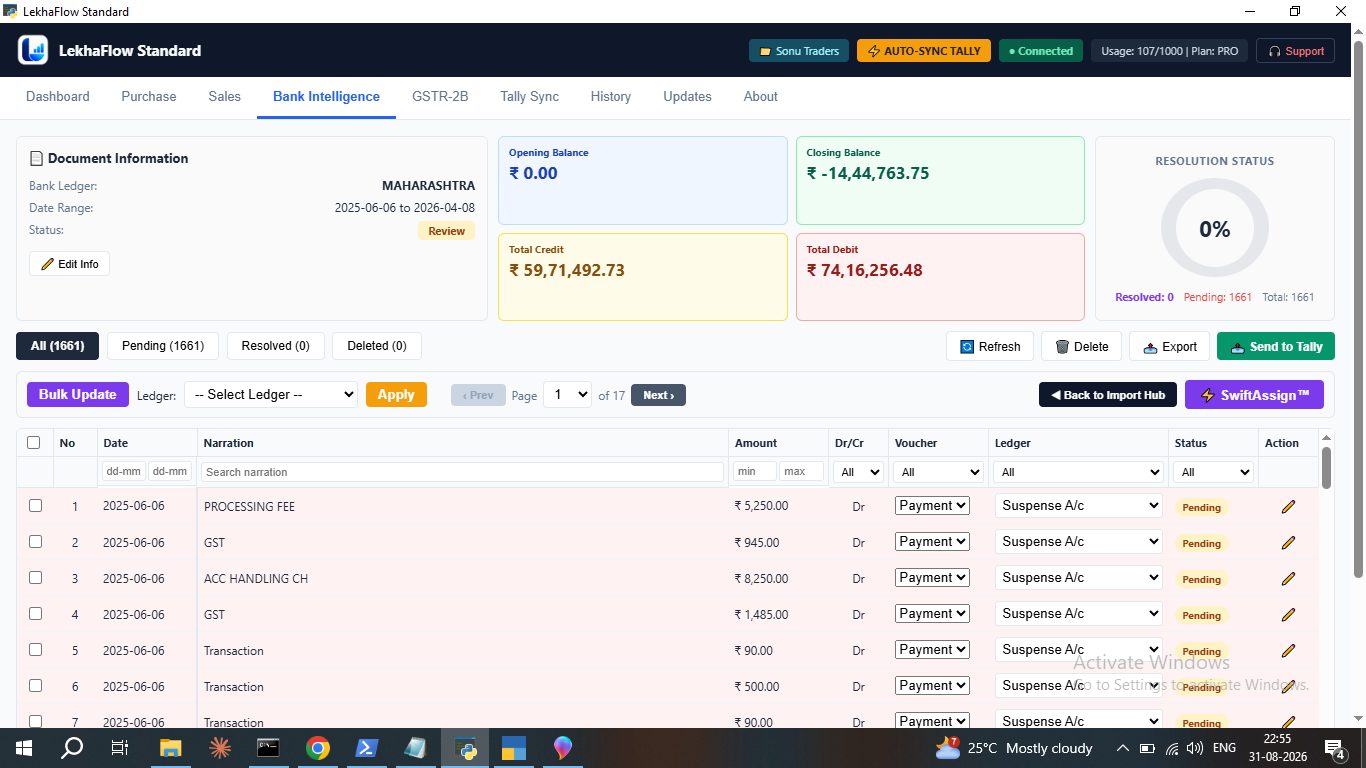
Import a bank statement, review extracted transactions, resolve pending entries with SwiftAssign, and send the resolved result to Tally.
Review-first
See the accounting result before the final Tally operation.
Structured workflow
Move from source file to resolved accounting data in clear stages.
Tally connected
Send the approved result to the selected Tally company.
SWIFTASSIGN™
Resolve repetitive bank entries in bulk.
SwiftAssign groups similar bank transactions so repeated ledger assignments can be handled together, with the result still visible for review before the final Tally step.
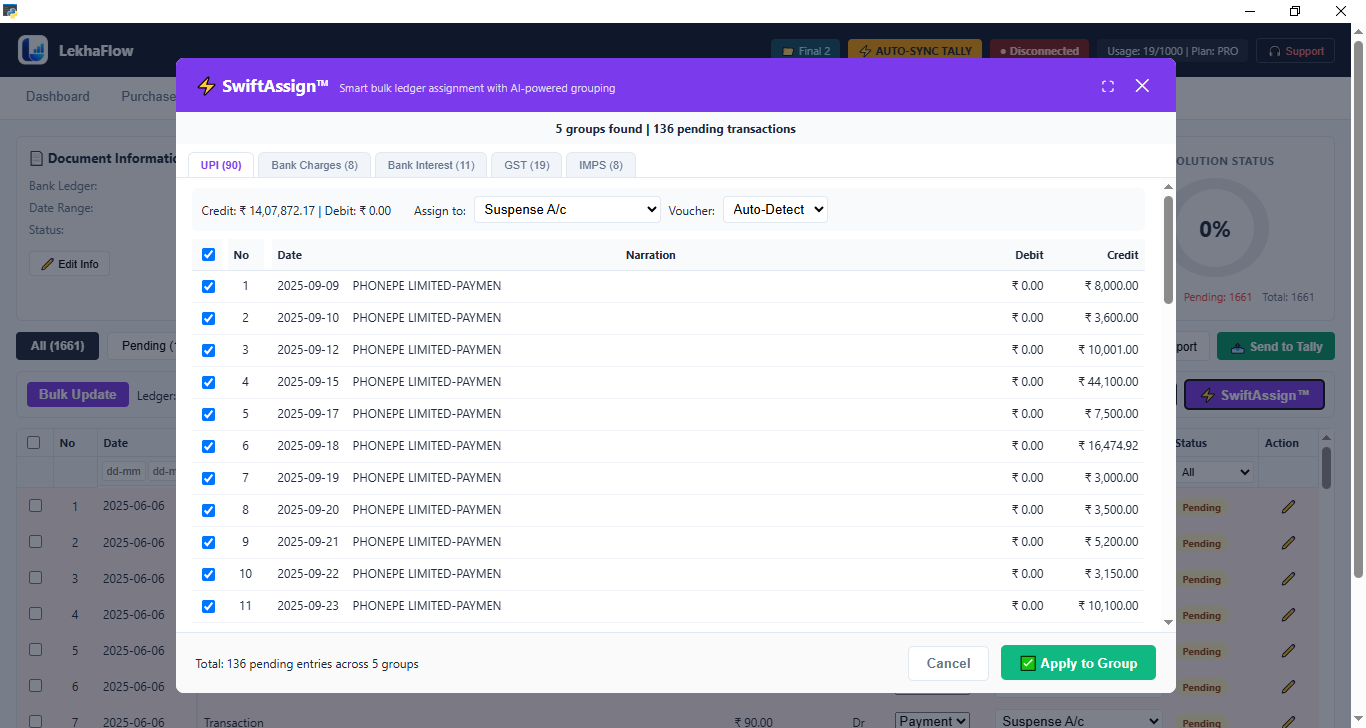
Real product interface
LekhaFlow Bank Intelligence interface
HOW IT WORKS
A clear path from input to final result.
Import the bank statement
Extract and review transactions
Resolve pending transactions
Use SwiftAssign for repetitive assignments
Export or send resolved entries to Tally
REVIEW BEFORE TALLY
Automation with a visible control layer.
LekhaFlow is built so the user can inspect the processed accounting result before the final sync. That keeps the workflow practical for accountants who want automation without losing control.
See the review workflowBank statement transaction extraction
Pending and resolved transaction workflow
SwiftAssign bulk ledger assignment
Review before posting to Tally
Excel export and Tally sync workflow
Excel when you need it
Use the processed result in Excel as an additional review or working format.
Tally at the end
Keep the final Tally operation after the result has been checked.
Repeatable workflow
Use the same structured approach across the supported accounting workflows.
TRY THE WORKFLOW
See how LekhaFlow fits around your Tally work.
Start with the free trial and test the workflow with your own accounting files.
Start Free Trial